What Is a Bitcoin Wallet? (Custodial vs. Self-Custody Explained Simply)
A Bitcoin wallet doesn't store Bitcoin. It stores the keys that prove you own it. Here's the difference between custodial and self-custody wallets, and which one you should use.
A Bitcoin wallet does not store Bitcoin. It stores the private keys that prove ownership of Bitcoin recorded on the blockchain. There are two main types: custodial wallets, where a company holds your keys, and self-custody wallets, where you hold your own keys. The Bitcoin community's core principle is "not your keys, not your coins."
Most people picture a wallet the same way: a physical thing that holds your money.
That mental model works fine for cash. It completely breaks down for Bitcoin.
A Bitcoin wallet doesn't hold Bitcoin. Bitcoin lives on a public ledger called the blockchain. Your wallet holds the keys that prove you own a piece of that ledger. It's less like a wallet and more like a signature. Without the right keys, the Bitcoin doesn't move. With them, you have total control.
This distinction sounds technical. It's actually the most important concept in Bitcoin ownership. Get it wrong and you could lose everything you've put in. Get it right and you understand exactly what you're buying when you buy Bitcoin.
A Bitcoin wallet stores private keys, not Bitcoin itself. Bitcoin lives on the blockchain. There are two main types: custodial (the app holds your keys, like Strike or Cash App) and self-custody (you hold your own keys, like a hardware wallet). Beginners should start custodial for ease, then graduate to self-custody as their holdings grow. The rule the whole Bitcoin community lives by: "Not your keys, not your coins."
Read more: Bitcoin for Beginners | What Is a Satoshi? | How to Buy Bitcoin on Strike
What a Bitcoin Wallet Actually Is
Forget everything you know about physical wallets. Here's how Bitcoin actually works.
Every Bitcoin on the blockchain is locked with a cryptographic key. Think of it like a safe-deposit box at a bank. The box is visible to everyone. Anyone can look at it. But only the person with the right key can open it and move what's inside.
Your Bitcoin wallet holds that key. Specifically, it holds something called a private key, a 256-bit number that is mathematically unique to your Bitcoin address. If you have the private key, you control the Bitcoin. If someone else has it, they control it. If nobody has it, the Bitcoin is locked forever.
256-bit
Length of a Bitcoin private key. The number of possible combinations is greater than the number of atoms in the observable universe.
Bitcoin protocol (secp256k1 elliptic curve)
The wallet software uses that private key to sign transactions and broadcast them to the blockchain network. When you send Bitcoin to someone, you're not moving files or tokens. You're signing a message that says "I authorize the transfer of X amount from my address to yours," and the network verifies your signature is valid.
That's it. The wallet is a key manager. The Bitcoin never actually moves off the blockchain.
The Two Types of Bitcoin Wallets
This is where most people get confused. There are two fundamentally different types of wallets, and the difference matters more than any feature comparison.
Custodial Wallets
A custodial wallet means a company holds your private keys on your behalf. When you buy Bitcoin on Strike, Cash App, or Coinbase, you don't receive a private key. You get an account balance. The company holds the keys. You hold an IOU.
This is exactly how a bank works with your dollars. You don't hold the actual currency. You hold a claim on the bank's reserves. Most people are fine with that for cash. The implications are different for Bitcoin.
The tradeoff with custodial wallets:
- Simple to use. No keys to manage or lose.
- Recoverable if you forget your password.
- The company can freeze your account, restrict withdrawals, or go bankrupt.
- If the company loses your funds, you may have no legal recourse.
Custodial wallets are where most beginners start, and that's fine. They remove friction. You can buy Bitcoin in ten minutes with no technical knowledge. For small amounts while you're learning, custodial is the right move.
Self-Custody Wallets (Non-Custodial)
A self-custody wallet means you hold your private keys. Nobody else has access. Nobody can freeze your account. Nobody can lose your funds on your behalf.
In exchange, you take on full responsibility. If you lose your private key or the recovery phrase (also called a seed phrase), the Bitcoin is gone. No customer service line. No account recovery. The blockchain doesn't care who you are. It only cares who has the keys.
The tradeoff with self-custody:
- Full ownership. Nobody can take your Bitcoin.
- No account freezes, no withdrawal limits, no company risk.
- If you lose your keys, your Bitcoin is locked forever.
- Requires more setup and responsibility.
| Custodial | Self-Custody | |
|---|---|---|
| Who holds the keys | The company (Strike, Coinbase, etc.) | You |
| Account recovery | Yes, via email/password | No. Lose your seed phrase, lose your Bitcoin. |
| Risk | Company goes under, gets hacked, freezes account | You lose or misplace your keys |
| Ease of use | Very easy | Moderate learning curve |
| Good for | Beginners, small amounts, regular buying | Long-term storage, larger holdings |
Hot Wallets vs. Cold Wallets
Within self-custody, there's a second distinction worth knowing: hot wallets and cold wallets.
Hot wallets are connected to the internet. They're apps you install on your phone or computer. Examples include Muun, BlueWallet, and Phoenix. They're convenient for spending and sending Bitcoin regularly. The tradeoff is that an internet-connected device is a device that can be hacked.
Cold wallets (also called hardware wallets) are physical devices that store your private keys completely offline. Examples include the Ledger Nano and Trezor Model T. They look like USB drives. When you want to send Bitcoin, you plug in the device, confirm the transaction on the hardware, then unplug. The keys never touch the internet.
$8 billion
Estimated customer funds lost in the FTX collapse (November 2022), demonstrating the real cost of custodial risk at scale.
Reuters / U.S. Department of Justice, 2022-2023
Cold wallets are overkill for most beginners. They make sense once you're holding enough Bitcoin that the security justifies the added complexity. If you're buying $20 a week, a cold wallet is probably not your next purchase. Once you've accumulated a few hundred dollars worth, it's worth thinking about.
The rule of thumb experienced holders use: keep what you're actively buying in a custodial app, move larger holdings to self-custody, and cold-store anything you intend to hold for years. It's not a binary choice between "on an exchange" and "in a bunker." It's a sliding scale, and where you land depends on how much you have and how long you plan to hold it.
Plenty of people run all three at once. The app for weekly buys. A mobile self-custody wallet for spending. A hardware device for the long-term stack. Separating the pots keeps one mistake from taking out the whole pile.

"Not Your Keys, Not Your Coins"
This phrase circulates constantly in the Bitcoin world. Now you understand what it means.
If a company holds your private keys, you don't technically own the Bitcoin. You own a claim on the company's Bitcoin reserves. That's a fundamentally different thing.
Most of the time, that distinction doesn't matter. Strike will let you buy and sell. Coinbase will honor your balance. The IOU works fine. Until it doesn't.
In November 2022, FTX, one of the world's largest crypto exchanges, collapsed. Customers discovered that the company had been using customer funds for unauthorized trading. An estimated $8 billion in customer assets disappeared. Hundreds of thousands of people lost their holdings overnight because the keys weren't theirs.
This wasn't a Bitcoin failure. Bitcoin itself kept running. Every transaction on the blockchain processed normally. The problem was that customers trusted a custodian that turned out to be insolvent. People who held self-custody, with their own private keys, were completely unaffected.
"Not your keys, not your coins" isn't a slogan. It's a description of how the system actually works. When someone else holds your keys, you are relying on their solvency, their honesty, and their security practices. Most custodians are fine. FTX was not.
The lesson isn't "never use custodial wallets." It's "understand what you're getting." For small amounts while you're learning, custodial is fine. As your holdings grow, self-custody becomes worth learning.
Your Seed Phrase: The Master Key
When you set up a self-custody wallet, the app generates something called a seed phrase (also called a recovery phrase or mnemonic). It's a list of 12 or 24 ordinary English words, something like: "rival turtle wagon bright hollow..."
This seed phrase is the master key. It can regenerate your private keys on any compatible device. Write it down. Never store it digitally. Never photograph it. Never type it into any website or app.
If someone gets your seed phrase, they own your Bitcoin. Full stop. No recourse. No chargebacks. No dispute process. The transaction is irreversible.
If you lose your seed phrase and your device breaks, your Bitcoin is locked forever. The blockchain doesn't know you exist. It only knows the address and the key.
If you ever set up a self-custody wallet, write the seed phrase on paper and store it somewhere physically secure. Not in your email drafts. Not in a screenshot. Not in your notes app. Paper. Somewhere safe. That list of words is your Bitcoin.
Which Wallet Should a Beginner Use?
The answer depends on where you are.
If you're just starting out: Use a custodial wallet. Download Strike or Cash App, verify your identity, and start buying small amounts regularly. The friction of self-custody is not worth it at $5 or $10 a week. Learn first. Accumulate. Get comfortable with the basics.
If you've been buying for a while and have a meaningful amount: Consider moving some of it to self-custody. A non-custodial mobile wallet like Muun or BlueWallet is a reasonable first step. You'll learn how addresses work, how transactions broadcast, and how the seed phrase functions. No hardware required.
If you're holding a significant amount long-term: A hardware wallet like a Ledger or Trezor is the standard recommendation. Your keys go offline. Your Bitcoin becomes much harder to steal or freeze. This is the "cold storage" approach that serious long-term holders use.
~500 million
Estimated number of people worldwide who own some amount of Bitcoin, most holding fractions through custodial apps.
Bleap Finance on-chain data, 2026
There's no single right answer. The right wallet is the one that matches your current amount, your technical comfort level, and your security needs. The goal is to actually start, not to optimize before you've begun.
Most people stall at this exact decision. They read a thread about self-custody, panic about losing a seed phrase, and do nothing for another year. That's the worst possible outcome. The exchange holding your $50 isn't the end of the world. The year you spent not buying anything is.
Start where the friction is lowest. Graduate when the stakes justify the effort. That's how every Bitcoin holder who still has their stack got here. Nobody started on a hardware wallet. They bought a little, learned a little, and leveled up when it made sense.
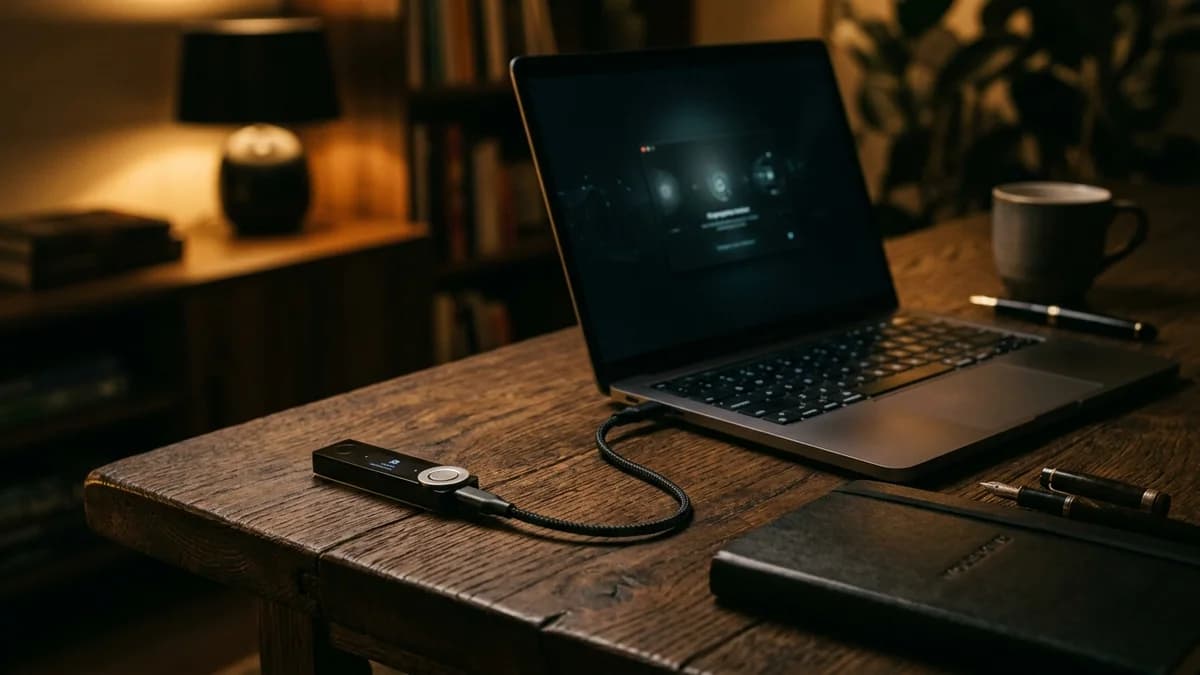
The hardware wallet in the photo is what the destination looks like, not the starting line. It costs around $80, ships with a paper backup, and will sit in a drawer for years waiting for the day you actually use it. That's fine. You're buying it for the version of you five years from now, not the version of you buying $5 of Bitcoin today.
For now, your wallet is whatever app lets you push buy without friction. Upgrade when the math says you should, not when the internet guilts you into it.
The biggest mistake in this space isn't picking the wrong wallet. It's picking no wallet, standing still, and letting another year pass waiting for a perfect answer that doesn't exist. A slightly imperfect decision that gets made today beats the optimal decision that never happens.
You understand wallets better than most Bitcoin owners.
Join thousands learning to build real wealth, one step at a time.
Wallet Types at a Glance
| Wallet Type | Example | Custody | Internet | Best For |
|---|---|---|---|---|
| Custodial app | Strike, Cash App, Coinbase | Company holds keys | Yes | Beginners, frequent buying |
| Non-custodial hot wallet | Muun, BlueWallet, Phoenix | You hold keys | Yes | Intermediate users, spending Bitcoin |
| Hardware (cold) wallet | Ledger Nano, Trezor | You hold keys | No | Long-term storage, larger holdings |
| Paper wallet | DIY (printed key) | You hold keys | No | Long-term archival (advanced) |
The bottom line: custodial for getting started, self-custody for owning your Bitcoin outright. Most people spend years in custodial wallets and never move to self-custody. That's a personal decision. But at least now you know what trade-off you're making.
Frequently Asked Questions
Next steps: If you bought Bitcoin on Strike or Cash App and want to understand what to do with it next, read our guide on Bitcoin Self-Custody: How to Actually Own Your Bitcoin. New to the whole concept? Start with Bitcoin for Beginners. And use our DCA Calculator to see what consistent buying looks like over time.
This article is part of the Small Steps, Real Results series on Untaught. Understanding your wallet is one of the most important steps toward owning Bitcoin with confidence.
This article is for educational purposes only and does not constitute financial advice. Untaught does not hold, move, or custody any funds. Past performance does not guarantee future results. Always do your own research before making investment decisions.
Quick calculator
Your coffee money could have become
$16,301
from $9,900 invested